A wireless charger lets you set your phone down instead of plugging it in. A 3-in-1 station can also charge a watch and earbuds in one spot. This guide explains the standards, why speeds vary, and what to check so the charger works with your devices.
Qi, Qi2 and magnetic charging
- Qi is the open wireless charging standard from the Wireless Power Consortium (WPC). Most recent phones that support wireless charging work with Qi pads.
- Qi2 adds magnets that snap the phone into the right spot. Under WPC rules, any charger using the Qi2 name must have magnets. Newer Qi2 versions support higher power.
- Apple MagSafe is Apple's magnetic system for iPhone. Apple lists peak speeds by model, from 12W on mini models up to 25W on some newer iPhones with the right charger and adapter.
- A "magnetic" charger is not automatically Qi2 certified. Check the listing for the exact standard.
Why your phone sets the speed
- Charging speed is limited by the lowest of three things: the phone, the charger and the power adapter.
- Many Qi chargers give iPhones up to 7.5W (Apple). Google and Samsung phones have their own limits, and some need a setting turned on for fast wireless charging.
- Wireless charging is usually slower and a bit less efficient than a cable.
Use the right power adapter
- Many wireless chargers do not include a wall adapter, or include only a cable.
- Higher-power charging needs a stronger USB-C PD adapter. For example, Apple says 25W MagSafe charging needs a 30W or higher adapter.
- Check the product page for the recommended adapter. A weak adapter is the most common reason for slow charging.
Charging a watch and earbuds
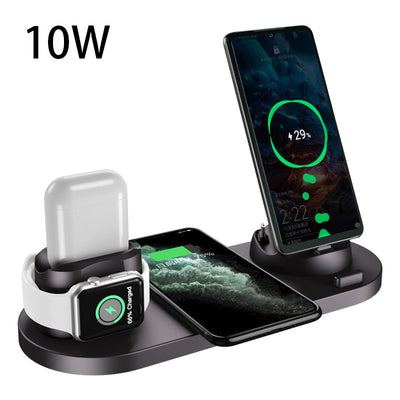
- Earbuds with a wireless charging case, including AirPods with a wireless or MagSafe case, can charge on a Qi pad (Apple).
- Apple Watch uses its own magnetic charger and does not charge on a standard Qi pad. A 3-in-1 station needs a built-in watch charger, or a slot for your own.
- Check which watch models a station supports before you buy.
Phone cases and objects
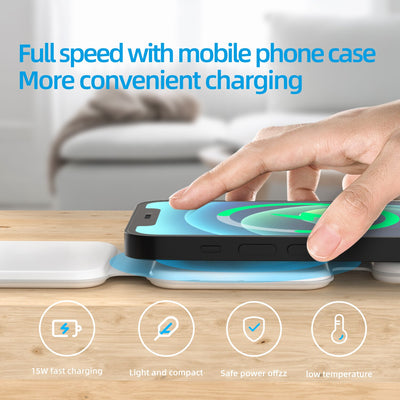
- Most thin cases work. Google says most cases up to about 3 mm are fine.
- Remove cases with metal, batteries, grips or mounts, and do not charge with cards, keys or coins between the phone and charger.
- For magnetic chargers, use a case that supports magnetic charging.
Heat and safety
- Phones get warm when charging wirelessly. Apple notes an iPhone may pause charging at 80% until it cools.
- "Qi Certified" products are listed in the WPC database. "Works with Qi" alone does not mean certified.
- Look for independent safety marks such as UL or ETL from a real testing lab.
Stand, pad or 3-in-1?
- Stand: holds the phone upright so you can see the screen. Good for a desk or nightstand.
- Pad: flat and simple, easy to tuck away.
- 3-in-1 station: phone, watch and earbuds in one spot, with one cable.
- Foldable: packs flat for travel.
Shop wireless chargers and tech accessories, or read our nightstand size guide for a tidy bedside setup.
Related guides: Home Office Desk Size Guide
Shop this guide
Browse our Tech & Charging Accessories with free standard shipping to the contiguous US.




Frequently asked questions
Is Qi2 the same as MagSafe?
They are similar. Both use magnets to line up the phone. Qi2 is the open WPC standard, while MagSafe is Apple’s system for iPhone. Check the listing for which one a charger supports.
Will my Apple Watch charge on any wireless charger?
No. Apple Watch needs its own magnetic charger. Choose a station with a built-in watch charger that supports your model.
Why is my wireless charger so slow?
Speed is limited by the phone, the charger and the power adapter. A weak adapter is a common cause, so use the adapter the product page recommends.
Can I charge wirelessly through a phone case?
Most thin cases work, about 3 mm or less. Remove cases with metal, batteries, grips or mounts.
How do I know a charger is Qi certified?
Look it up in the Wireless Power Consortium Qi Certified database. Products that only say they work with Qi may not be certified.